 bilipito
SOS button app for kids that alerts the whole family
Most days your child won’t need help. But if something goes wrong on the way home, they should be able to reach the whole family in seconds, without typing a message or calling each parent in turn. That is the whole point of an SOS button app for kids, and of the big SOS button in Bilipito Kids.
Bilipito is a family locator in two parts: Bilipito on your phone and Bilipito Kids on your child’s phone. The SOS button (some parents call it a panic button) lives in Bilipito Kids, always at hand, and sends an alert with your child’s location to every parent in the family.
Bilipito is not an emergency service. The SOS button alerts your family. It does not contact the police, an ambulance or any emergency operator. If your child is in danger, call your local emergency number: 112 across Europe, 911 in the US, Canada and Mexico. It’s worth explaining this to your child, too.
How the SOS button works
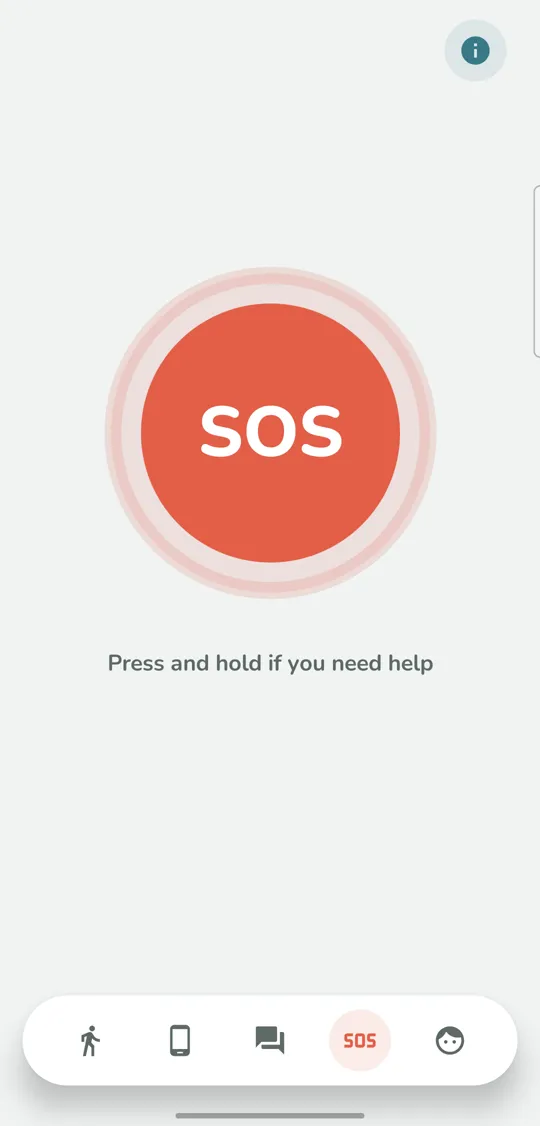
1. Press and hold
Your child presses and holds the SOS button. It takes a hold, not a quick tap, so a stray finger doesn’t raise the alarm.
2. Five seconds to cancel
A short countdown follows. If your child pressed it by mistake, they have five seconds to cancel, and nothing is sent.
3. Every parent gets the alert, with the location
When the countdown ends, every parent in the family gets an SOS alert with the child’s location on the map. It comes through even at night, when other Bilipito notifications wait until morning.
4. Everyone sees who responded
The family sees which of you has already answered, so nobody is left guessing whether the other parent saw it. Your child sees that the alert has been seen, too.
5. Only a parent closes it
Once sent, the alert stays open until a parent closes it. Then your child sees that everything is fine.
An SOS button app for kids on the phone they already have
You don’t need to buy a separate smartwatch. Bilipito Kids runs on a phone with Android 10 or newer, or an iPhone with iOS 17 or newer, and turns it into a kids GPS tracker: the live map, the day’s route, places such as home and school with arrive and leave alerts, and the phone’s battery level, with the SOS button on top.
SOS keeps working when screen time is up
Bilipito’s parental controls also let you set daily app limits and phone-free time for school and bedtime. These rules don’t turn SOS off: calls and SOS keep working, whatever limits and schedules you set.
Make sure the phone is ready before it’s needed
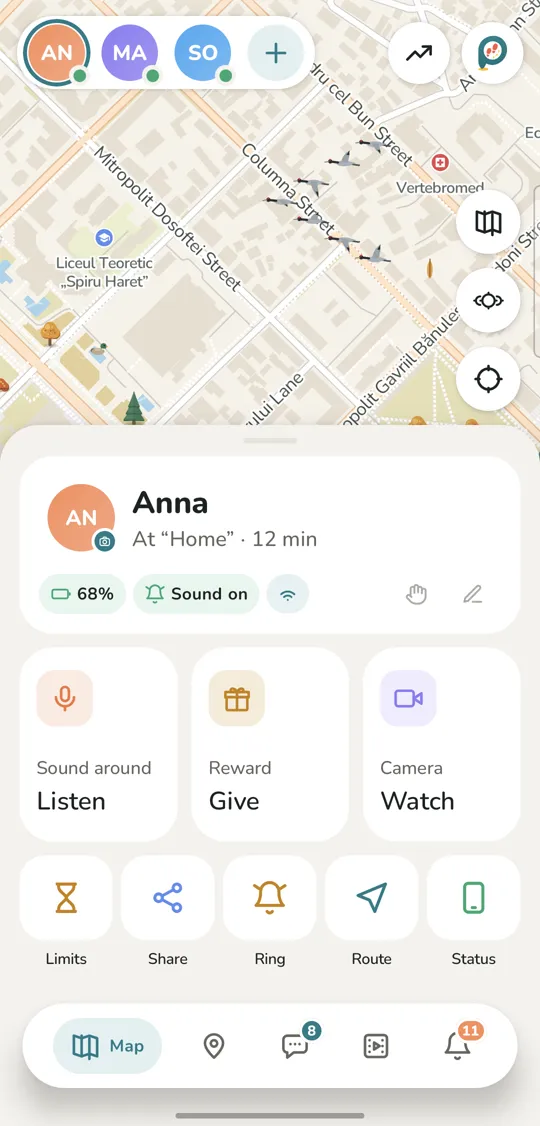
An SOS button only helps if the phone can send the alert. Bilipito warns you when location is turned off, a permission is revoked, the phone goes offline, the battery runs low (at 10% and 5%) or Bilipito Kids is deleted. On the map, your child’s card shows the battery level and the time of the last update.
And if your child just isn’t picking up, you can find your child on the map or use the loud signal: their phone rings loudly, even in silent mode. On a child’s iPhone with Bilipito Kids closed, the signal arrives as a notification with sound, which an iPhone in silent mode doesn’t play.
Open with your child, by design
Bilipito Kids never hides. Before connecting, you and your child read the “What your family will see” screen together, and while their location is shared, their phone shows it: a notification on Android, the location indicator on an iPhone. Bilipito is only for families with children under 18. SOS events are kept for 90 days and then deleted; the details are in our privacy policy.
Set up the SOS button in about five minutes
- Install Bilipito on your phone and sign in with email or Google.
- Add your child and tap “Connect the child’s phone” to get a QR code.
- Install Bilipito Kids on your child’s phone, read the “What your family will see” screen together and scan the code.
- Grant the permissions the app asks for. Your child appears on the map, and the SOS button is ready.
The full walkthrough is in How to set up. SOS is part of the Family subscription, with every feature included, and new families get the first 7 days free. For everything else, from “Replay the day” to the Phone while walking reminder on children’s Android phones, see the features page.
Screenshots are from the app; names and places in them are examples.